
How a Hotel Channel Manager Prevents Overbooking
August 4, 2026
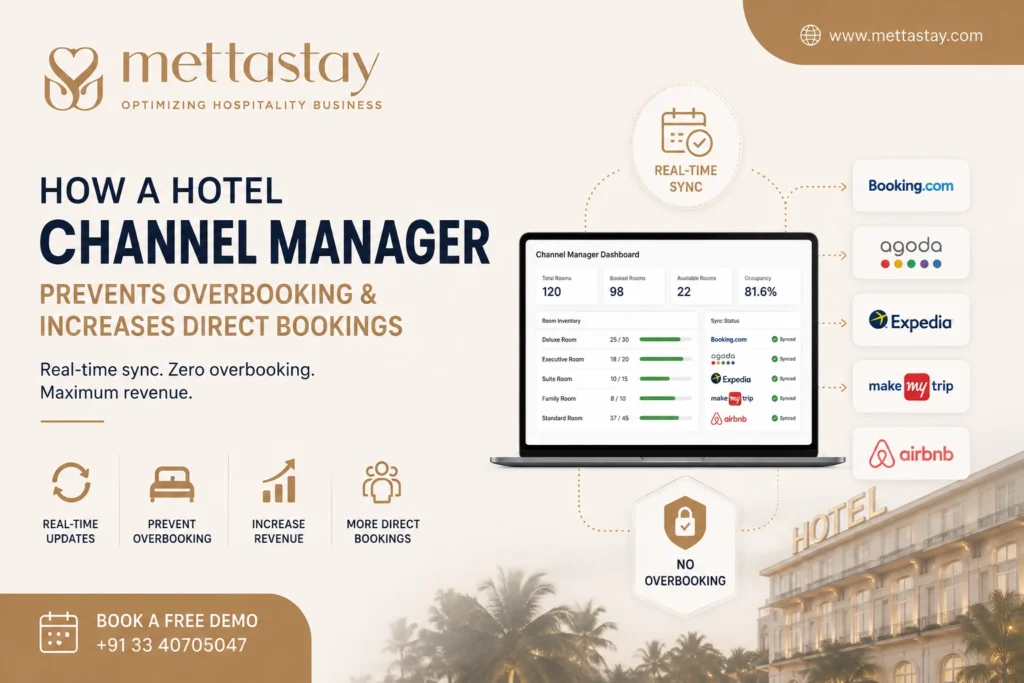
Hotel overbooking is one of the most difficult problems for hotels, resorts, guest houses, homestays, hostels, boutique properties, and serviced apartments. It usually happens when the same room remains available across multiple online booking channels even after it has already been reserved.
A hotel channel manager prevents overbooking by synchronizing room availability, rates, reservations, modifications, and cancellations across connected booking channels from one centralized platform.
When a guest books a room through an online booking channel or the hotel website, the available inventory is automatically updated across the other connected platforms. This reduces the possibility of selling the same room more than once.
When integrated with a hotel booking engine and hotel PMS, a channel manager can also support direct reservations by displaying accurate room availability and rates on the hotel website.
This guide explains how a hotel channel manager prevents overbooking, supports direct bookings, improves inventory control, reduces manual work, and creates a connected hotel reservation workflow.
Table of Contents
- What is Hotel Overbooking?
- Why Does Hotel Overbooking Happen?
- How a Hotel Channel Manager Prevents Overbooking
- How Real-Time Inventory Synchronization Works
- How Pooled Inventory Reduces Overbooking
- How Cancellations and Modifications Are Managed
- How a Channel Manager Supports Direct Bookings
- Channel Manager, Booking Engine and PMS Workflow
- Benefits for Hotels and Resorts
- Manual OTA Management vs Channel Manager
- Common Overbooking Mistakes
- How Hotels Can Reduce Overbooking
- How Hotels Can Increase Direct Bookings
- How to Choose the Right Channel Manager
- Why Choose Mettastay?
- Frequently Asked Questions
What is Hotel Overbooking?
Hotel overbooking happens when a property receives more confirmed reservations than the number of rooms available for a particular date.
For example, a hotel may have ten rooms available, but eleven guests receive confirmed reservations for the same night. The hotel must then arrange an alternative room, transfer a guest to another property, provide compensation, or manage a difficult guest-service situation.
Overbooking can happen because of:
- Delayed room inventory updates
- Manual errors
- Disconnected booking channels
- Incorrect room allocation
- Missed booking notifications
- Unrecorded phone reservations
- Unrecorded walk-in bookings
- Incorrect room mapping
- Booking modifications not being updated
- Cancellations not being synchronized
- Hotel website inventory not matching OTA inventory
Some large hotel businesses may intentionally accept more reservations based on expected cancellations or no-shows. However, for most independent hotels and smaller properties, accidental overbooking creates operational and reputational problems.
How Overbooking Affects Hotels
Overbooking can lead to:
- Guest dissatisfaction
- Negative online reviews
- Refunds and compensation costs
- Additional transportation expenses
- Emergency relocation of guests
- Front desk pressure
- Revenue loss
- Reduced guest trust
- Damage to the hotel’s reputation
- Possible booking-channel penalties
Preventing accidental overbooking is therefore an important part of hotel inventory and distribution management.
Why Does Hotel Overbooking Happen?
1. Manual Inventory Updates
When a hotel receives a reservation from one channel, employees may need to manually reduce the room availability on every other booking channel.
If the update is delayed, another guest may reserve the same room inventory elsewhere.
2. Multiple Booking Sources
Hotels receive reservations from several sources, including:
- Online booking channels
- Hotel websites
- Phone calls
- Walk-in guests
- Travel agents
- Corporate accounts
- Group bookings
- Social media enquiries
If all these reservations are not recorded in one centralized system, the available room count may become inaccurate.
3. Slow Booking Notifications
A delayed booking notification can prevent hotel employees from updating other channels quickly enough.
4. Incorrect Room Mapping
Room mapping connects hotel room categories with corresponding room types on online booking channels.
Incorrect mapping can cause the wrong inventory to be updated or allow a room category to remain available even after it has sold out.
5. Booking Modifications
Guests may change their arrival date, departure date, room type, or length of stay. If these changes are not updated across all systems, the hotel may display incorrect availability.
6. Unrecorded Offline Reservations
Phone reservations, walk-in bookings, and travel-agent reservations may not reduce online inventory if they are not immediately entered into the hotel PMS.
7. Disconnected Hotel Software
Separate systems for PMS, online distribution, and direct booking can create inventory conflicts when they do not exchange information automatically.
8. Incorrect Room Allotments
A hotel may allocate fixed room quantities separately to different channels. If these allotments are not monitored properly, one channel may sell more rooms than the hotel can provide.
How a Hotel Channel Manager Prevents Overbooking
A hotel channel manager prevents overbooking by connecting the hotel’s central room inventory with multiple online booking channels.
When a reservation is made, the channel manager automatically updates the remaining room availability across the connected platforms.
Example
Suppose a hotel has five deluxe rooms available.
- Five rooms are displayed across connected booking channels.
- A guest reserves one room through one channel.
- The booking is received by the channel manager.
- The available inventory changes from five rooms to four rooms.
- The channel manager updates four available rooms across the other connected channels.
- The reservation is sent to the hotel PMS when integrated.
This automated process reduces the need for hotel employees to update each booking platform manually.
Important Ways a Channel Manager Prevents Overbooking
- Synchronizes room inventory
- Receives online reservations automatically
- Updates cancellations
- Processes booking modifications
- Connects direct website bookings
- Updates stop-sell restrictions
- Links online distribution with the hotel PMS
- Maintains centralized availability
- Reduces duplicate data entry
- Provides one inventory calendar
How Real-Time Inventory Synchronization Works
Inventory synchronization is one of the most important functions of hotel channel manager software.
The hotel stores its room availability in a centralized system. The channel manager then distributes that availability to connected online booking channels and the hotel booking engine.
Inventory Synchronization Process
- The hotel sets the number of available rooms.
- The channel manager sends the availability to connected channels.
- A guest reserves a room.
- The reservation is received by the channel manager.
- The available inventory is reduced.
- The revised inventory is distributed to the remaining connected channels.
- The reservation is synchronized with the hotel PMS.
The same process applies when a reservation is cancelled or modified.
Why Synchronization Speed Matters
The faster the inventory is updated, the lower the chance that another guest will reserve room inventory that is no longer available.
Hotels should therefore evaluate synchronization capabilities when choosing channel manager software.
Simple Overbooking Prevention Workflow
Guest Booking → Channel Manager Receives Reservation → Available Inventory Reduces → All Connected Channels Update → Reservation Syncs with Hotel PMS
How Pooled Inventory Reduces Overbooking
Pooled inventory means the same central room inventory is shared across multiple connected booking channels.
Instead of assigning a fixed number of rooms separately to each channel, the hotel distributes the total available inventory through one centralized system.
Example of Fixed Inventory
A hotel has ten rooms and assigns:
- Three rooms to Channel A
- Three rooms to Channel B
- Two rooms to Channel C
- Two rooms to direct bookings
This system requires the hotel to move room allocations manually when one channel performs better than another.
Example of Pooled Inventory
The hotel places all ten rooms in a central inventory pool. The channel manager displays the available quantity across connected channels.
When one room is reserved, the available inventory changes from ten to nine across the connected platforms.
Benefits of Pooled Inventory
- Reduces manual allotment management
- Improves inventory accuracy
- Reduces overbooking risk
- Allows rooms to remain available on relevant channels
- Improves booking opportunities
- Supports centralized room control
How Cancellations and Modifications Are Managed
Overbooking prevention does not depend only on new reservations. Cancellations and booking modifications must also be synchronized correctly.
Reservation Cancellations
When a guest cancels a reservation:
- The cancellation is received by the channel manager.
- The reservation status is updated.
- The cancelled room may return to available inventory.
- The revised availability is distributed to connected channels.
- The hotel PMS is updated when integrated.
Booking Modifications
Guests may modify:
- Arrival date
- Departure date
- Length of stay
- Room type
- Number of guests
- Rate plan
- Guest information
The channel manager should update the reservation and adjust inventory for the affected dates.
For example, if a guest extends a two-night stay to three nights, the hotel inventory for the additional night must be reduced.
How a Channel Manager Supports Direct Bookings
A hotel channel manager primarily manages online distribution, while a booking engine allows guests to reserve rooms directly through the hotel website.
When the two systems are integrated, the hotel website can use the same centralized availability and rates as the connected booking channels.
Direct Booking Process
- A guest visits the hotel website.
- The guest opens the booking engine.
- The booking engine checks centralized room availability.
- The guest selects a room and rate plan.
- The guest completes the reservation.
- The direct booking is sent to the hotel system.
- The available inventory is reduced.
- The channel manager updates the remaining inventory across connected channels.
This allows direct website reservations and external booking-channel reservations to use the same inventory.
How Accurate Availability Helps Direct Bookings
Guests are more likely to complete a direct reservation when the hotel website displays:
- Accurate room availability
- Current room rates
- Clear room information
- Available rate plans
- Secure booking options
- Instant booking confirmation
A disconnected website booking system may display rooms that are no longer available or fail to show rooms that can still be sold.
How a Channel Manager Can Support More Direct Reservations
- Keeps website inventory accurate
- Connects direct bookings with centralized inventory
- Updates room availability after website reservations
- Reduces booking conflicts
- Supports direct rate management
- Improves reservation confirmation speed
- Connects direct reservations with the hotel PMS
A channel manager does not create direct demand by itself. However, when combined with a well-designed website, booking engine, competitive direct rates, and clear booking benefits, it creates the technical foundation required for reliable direct reservations.
Channel Manager, Booking Engine and PMS Workflow
A hotel channel manager, booking engine, and PMS perform different functions.
Hotel Channel Manager
Manages room inventory, rates, restrictions, reservations, modifications, and cancellations across connected online booking channels.
Hotel Booking Engine
Allows guests to search room availability and complete direct reservations through the hotel website.
Hotel PMS
Manages hotel operations such as reservations, room allocation, check-in, check-out, guest records, billing, housekeeping, and reports.
| Operation | Channel Manager | Booking Engine | Hotel PMS |
|---|---|---|---|
| OTA Inventory Distribution | Yes | No | Through integration |
| Direct Website Reservations | Updates inventory | Yes | Receives reservation |
| Room Availability | Distributes availability | Displays availability | Maintains central inventory |
| Room Rates | Distributes rates | Displays direct rates | Provides rates when integrated |
| Check-In and Check-Out | No | No | Yes |
| Guest Billing | No | May collect booking payment | Yes |
| Housekeeping | No | No | Yes |
| Reservation Synchronization | Yes | Yes | Yes |
Integrated Workflow
Hotel PMS → Central Room Inventory → Channel Manager and Booking Engine → OTA or Direct Guest Booking → Inventory Update → Reservation Returns to PMS
An integrated workflow reduces duplicate data entry and helps hotel employees manage all reservations from one centralized system.
Benefits of a Hotel Channel Manager for Hotels and Resorts
1. Reduced Overbooking Risk
Automatic availability updates reduce the possibility of selling the same room inventory through multiple platforms.
2. Centralized Room Inventory
Hotel employees can manage available rooms from one system instead of maintaining separate room quantities on each channel.
3. Faster Inventory Updates
New reservations, cancellations, and booking modifications can update connected channels without repeated manual changes.
4. Better Booking Accuracy
Centralized reservation and inventory information reduces incorrect availability and duplicate bookings.
5. Lower Manual Workload
Front desk and reservation teams spend less time logging in to separate booking platforms.
6. Improved Direct Booking Reliability
Booking engine integration ensures that direct reservations use current room availability.
7. Centralized Rate Management
Hotels can manage room prices, rate plans, seasonal rates, weekend rates, and promotional offers from one platform.
8. Improved Online Distribution
Hotels can distribute room inventory across relevant booking channels without creating separate manual allotments.
9. Better Occupancy Control
The hotel can monitor available, reserved, blocked, and sold rooms from a centralized calendar.
10. Improved Channel Reporting
Hotels can evaluate booking volume, room nights, cancellations, occupancy, and revenue from different reservation sources.
11. Faster Reservation Processing
Online reservations can flow directly into the hotel PMS when the systems are integrated.
12. Better Guest Experience
Accurate availability and faster confirmation reduce booking problems and guest dissatisfaction.
Manual OTA Management vs Hotel Channel Manager
| Hotel Operation | Manual Management | Hotel Channel Manager |
|---|---|---|
| Room Availability | Updated separately | Updated centrally |
| Overbooking Risk | Higher | Reduced through synchronization |
| Reservation Entry | May require manual entry | Can synchronize automatically |
| Rate Updates | Repeated on every channel | Managed from one dashboard |
| Cancellations | Checked manually | Can update automatically |
| Booking Modifications | May be overlooked | Can synchronize with the system |
| Direct Bookings | May use separate inventory | Can use centralized inventory |
| Staff Workload | High repetitive work | Reduced repetitive work |
| Reporting | Data collected separately | Centralized channel reports |
| Scalability | Difficult as channels increase | Easier to manage more channels |
Common Overbooking Mistakes Hotels Make
1. Updating Inventory Too Late
Even a short delay can create a booking conflict during high-demand periods.
2. Forgetting Offline Reservations
Phone, travel-agent, corporate, and walk-in reservations must reduce the same central room inventory.
3. Using Separate Inventory for the Hotel Website
A disconnected booking engine can display different availability from online booking channels.
4. Incorrect Room Mapping
Room categories and rate plans must be mapped correctly between the hotel system and each connected channel.
5. Ignoring Booking Modifications
A date or room-type change can affect inventory across several nights.
6. Not Monitoring Connection Errors
Hotels should review system notifications and resolve channel connection or mapping issues quickly.
7. Selling More Rooms Than Physically Available
The central room count must match the property’s actual saleable inventory.
8. Not Training Hotel Employees
Employees should understand how to enter offline bookings, block rooms, modify reservations, and review availability.
9. Using Disconnected Software
A PMS, channel manager, and booking engine should exchange reservation and inventory information correctly.
10. Not Testing the Complete Workflow
Hotels should test bookings, cancellations, modifications, rates, and availability before activating new channel connections.
How Hotels Can Reduce Overbooking
1. Use Centralized Room Inventory
All online and offline reservations should reduce the same inventory.
2. Integrate the Channel Manager with the PMS
PMS integration helps online reservations and front desk bookings remain synchronized.
3. Connect the Booking Engine
The hotel website should use the same room inventory as connected online booking channels.
4. Configure Room Mapping Carefully
Each hotel room type should be connected to the correct room category on every channel.
5. Test Booking Modifications
Confirm that changes in dates, room types, and stay duration adjust inventory correctly.
6. Record Offline Reservations Immediately
Phone, walk-in, corporate, and travel-agent bookings should be entered into the central system without delay.
7. Monitor Inventory Regularly
Hotel employees should compare physical room inventory with the available inventory shown in the system.
8. Use Stop-Sell Controls
Stop-sell rules can prevent selected room categories from being sold for specific dates.
9. Maintain Emergency Room Controls
Hotels may block rooms needed for maintenance, staff use, operational backup, or unexpected situations.
10. Train Front Desk and Reservation Teams
Every employee who manages reservations should understand the correct booking and inventory process.
How Hotels Can Increase Direct Bookings
A channel manager supports direct booking operations, but hotels also need a clear direct booking strategy.
1. Add a Booking Engine to the Hotel Website
Guests should be able to check room availability and complete reservations without leaving the hotel website.
2. Display Accurate Availability
The booking engine should use the same centralized room inventory as connected booking channels.
3. Make the Book Now Button Visible
A clear booking button should appear on desktop and mobile pages.
4. Improve Website Speed
A slow website or booking process can cause potential guests to leave before completing a reservation.
5. Use Mobile-Friendly Booking
Guests should be able to search rooms and complete bookings easily from smartphones.
6. Provide Clear Room Information
Show room photographs, occupancy limits, amenities, inclusions, cancellation terms, and available rate plans.
7. Offer Direct Booking Benefits
Hotels may provide appropriate direct booking benefits such as:
- Flexible check-in subject to availability
- Flexible cancellation options
- Complimentary services
- Special packages
- Room upgrade subject to availability
- Direct guest support
8. Use Secure Online Payments
A trustworthy payment process can improve booking confidence.
9. Display Contact Information
Guests should be able to contact the hotel when they have questions before booking.
10. Track Direct Booking Performance
Monitor website visitors, booking-engine usage, conversion rate, booking value, and reservation source.
Reduce Overbookings and Manage Direct Reservations
Manage room inventory, rates, online reservations, cancellations, booking modifications, and direct website bookings with MettaStay’s integrated hotel channel manager platform.
How to Choose the Right Hotel Channel Manager
1. Check Inventory Synchronization
Confirm how room availability is updated after reservations, cancellations, and modifications.
2. Check Required Channel Connections
Prepare a list of the online booking channels that are important for your hotel.
3. Confirm PMS Integration
The channel manager should connect with your existing PMS or form part of an integrated hotel software platform.
4. Confirm Booking Engine Integration
Direct website bookings should use the same central room inventory.
5. Review Room and Rate Mapping
Ask whether the provider assists with room-category and rate-plan mapping.
6. Check Restriction Controls
The system should support:
- Stop sell
- Minimum length of stay
- Maximum length of stay
- Closed to arrival
- Closed to departure
- Booking cut-off periods
7. Evaluate Reporting
Review booking, cancellation, occupancy, revenue, room-night, and channel-performance reports.
8. Evaluate Ease of Use
Front desk employees, reservation teams, and managers should be able to understand the dashboard.
9. Review Customer Support
Ask about implementation, configuration, mapping, training, and technical support.
10. Understand the Complete Price
Ask about subscription fees, implementation costs, integrations, training, support, renewal charges, and taxes.
Why Choose MettaStay Hotel Channel Manager?
MettaStay provides cloud-based hospitality software for hotels, resorts, guest houses, boutique properties, homestays, hostels, serviced apartments, and multi-property hotel businesses.
MettaStay connects hotel channel management with reservations, room inventory, front desk operations, direct bookings, guest management, billing, reporting, and hotel operations.
MettaStay Channel Manager Capabilities
- Centralized room inventory
- Real-time availability updates
- Reservation synchronization
- Booking cancellation updates
- Booking modification updates
- Room-type mapping
- Rate-plan mapping
- Centralized rate management
- Stop-sell controls
- Hotel PMS integration
- Booking engine integration
- Direct booking synchronization
- Booking source tracking
- Occupancy monitoring
- Channel performance reports
- Cloud-based access
- Multi-property support
- Implementation assistance
- Employee training support
Integrated Hotel Reservation Workflow
With an integrated platform, online reservations, direct bookings, phone reservations, and walk-in bookings can use one centralized inventory.
This helps reduce duplicate work, improve room availability accuracy, and prevent accidental overbooking.
Explore
MettaStay hotel channel manager software
to simplify room distribution, OTA bookings, direct reservations, and hotel inventory management.
Related Hotel Channel Manager Solutions
-
Hotel Channel Manager Software
-
Hotel PMS Software
-
Hotel Booking Engine
-
Hotel Management Software
-
Hotel Revenue Management Software
-
Hotel Software Pricing
Related Channel Manager Guides
- What is a Hotel Channel Manager?
- Best Hotel Channel Manager Software in India
- Hotel Channel Manager Software Guide
Hotel Channel Manager Conclusion
A hotel channel manager prevents overbooking by synchronizing room availability, reservations, cancellations, booking modifications, and rates across connected booking channels.
Whenever a room is reserved, the available inventory is updated across the other connected platforms. This reduces manual work and lowers the risk of selling the same room more than once.
When integrated with a hotel booking engine and PMS, a channel manager also supports direct website reservations by using the same centralized room inventory.
Hotels can reduce overbooking and improve direct booking reliability by using centralized inventory, recording offline reservations immediately, maintaining correct room mapping, training employees, and monitoring system connections.
MettaStay provides integrated hotel channel manager, PMS, booking engine, and hotel management solutions for different types of hospitality businesses.
Contact MettaStay and book a free hotel channel manager demonstration
.
Hotel Channel Manager Frequently Asked Questions
How does a hotel channel manager prevent overbooking?
A hotel channel manager prevents overbooking by updating room availability across connected booking channels whenever a reservation, cancellation, or booking modification occurs.
What causes hotel overbooking?
Hotel overbooking can be caused by delayed inventory updates, manual errors, disconnected booking systems, incorrect room mapping, unrecorded offline reservations, and missed booking modifications.
Can a channel manager completely eliminate overbooking?
A correctly configured channel manager significantly reduces accidental overbooking. However, hotels must also maintain correct room inventory, mapping, PMS integration, employee procedures, and system connections.
What is real-time inventory synchronization?
Real-time inventory synchronization means that available room quantities are updated across connected booking platforms whenever a reservation, cancellation, or modification occurs.
What is pooled hotel inventory?
Pooled inventory is a centralized room inventory shared across multiple connected booking channels instead of assigning fixed room quantities separately to each channel.
Does a hotel channel manager increase direct bookings?
A channel manager supports direct bookings by connecting the hotel booking engine with centralized room availability. Direct booking growth also depends on the hotel website, offers, booking experience, pricing, and marketing.
What is the difference between a channel manager and booking engine?
A channel manager manages inventory and rates across external booking channels. A booking engine allows guests to reserve rooms directly through the hotel website.
What is the difference between a channel manager and hotel PMS?
A channel manager manages online distribution, while hotel PMS software manages reservations, room allocation, guests, check-in, check-out, billing, housekeeping, and hotel operations.
Can phone reservations cause overbooking?
Yes. A phone reservation can cause overbooking when it is not entered immediately into the hotel’s centralized room inventory.
Can booking cancellations update room availability automatically?
Yes. When correctly connected, a channel manager can receive a cancellation, update the reservation status, and return the room to available inventory.
Do small hotels need a channel manager?
Small hotels that receive reservations from multiple online channels can use a channel manager to reduce manual work, improve inventory accuracy, and prevent overbooking.
Can resorts use channel manager software?
Yes. Resorts can use channel manager software to manage multiple room categories, seasonal rates, packages, restrictions, online reservations, and direct bookings.
What should hotels check before choosing a channel manager?
Hotels should check inventory synchronization, required channel connections, PMS integration, booking engine integration, room mapping, rate controls, reporting, support, ease of use, scalability, and pricing.
Does MettaStay provide a hotel channel manager?
Yes. MettaStay provides cloud-based hotel channel manager capabilities with centralized inventory, rate management, reservation synchronization, PMS integration, booking engine integration, reporting, and hotel management tools.

Review How a Hotel Channel Manager Prevents Overbooking